A fantasy Photoshop course by Ro of Alquatica
Turn your portraits into the fantasy images you imagine (step by step, even as a beginner).
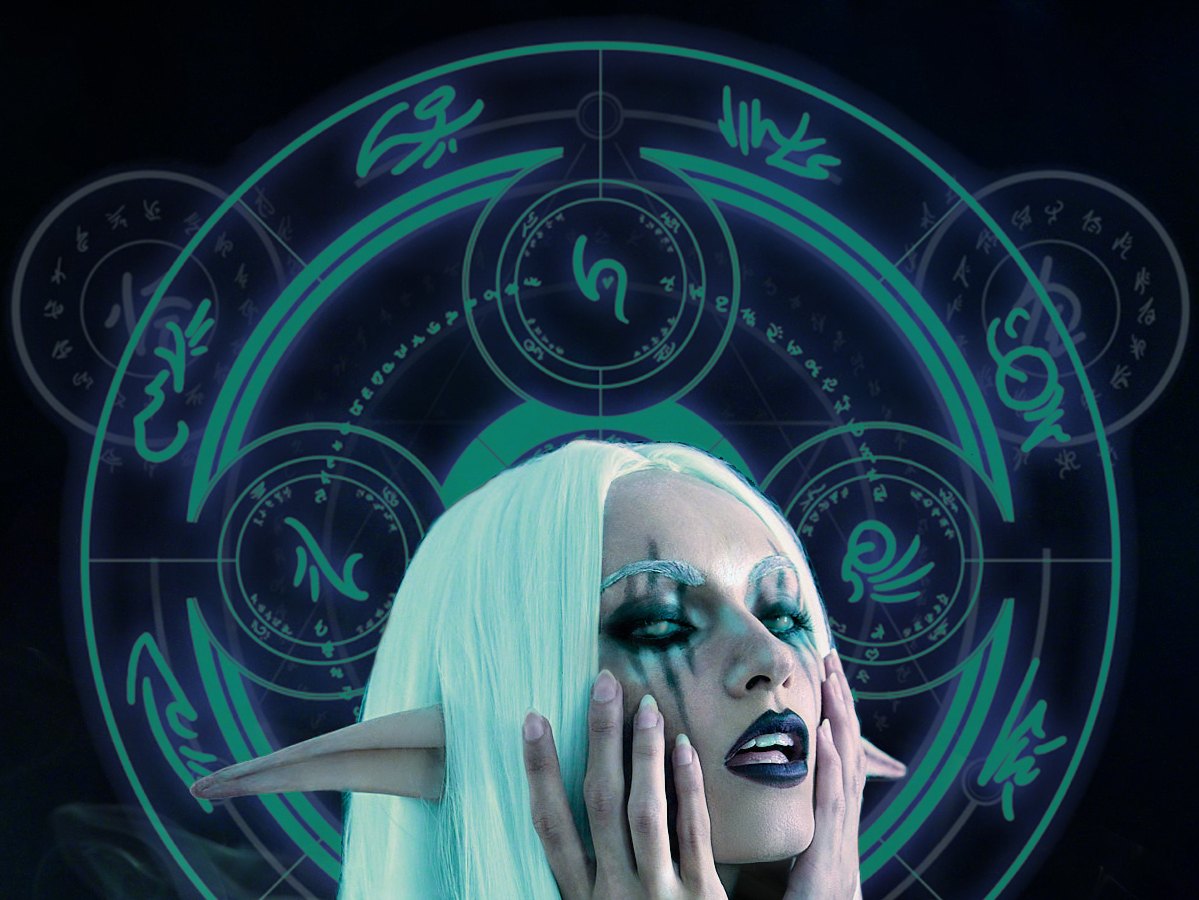
The Otherworldly Edit is my beginner-friendly fantasy Photoshop course. I walk you through my complete Night Elf edit: refining the portrait, shaping light and shadow, adding elements and bringing the colors together, so you can use the same skills on your own photos.
9 video lessons · About 1 hour 20 minutes · Beginner-friendly
Made in Photoshop 2026 · Workbook and shortcuts included
$119 total value $67
The images in the video are from my portfolio. The edit you'll learn is the Night Elf, just below.
You can picture the fantasy portrait. How do you get it there?
You have an idea for your portrait, but you're not sure how to make it happen in Photoshop.
Maybe an effect looks like it's sitting on top of the photo instead of belonging in it. Maybe you've adjusted the colors and the image still feels flat. The pieces are there, but it looks like something you just photoshopped and slapped together, not the scene you imagined.
It's hard to know what to change next, or which change will bring it all together.
In The Otherworldly Edit, I show you how I approach magical realism: blending the extraordinary with the real, so all of your elements speak the same language.
We'll draw on a principle from painting, chiaroscuro: contrasting light and shadow to create depth. I'll explain how I work with light, shadow, color and added elements in Photoshop, so you understand what makes an edit feel cohesive and can bring those ideas to your own photos.
The portrait you'll learn to edit
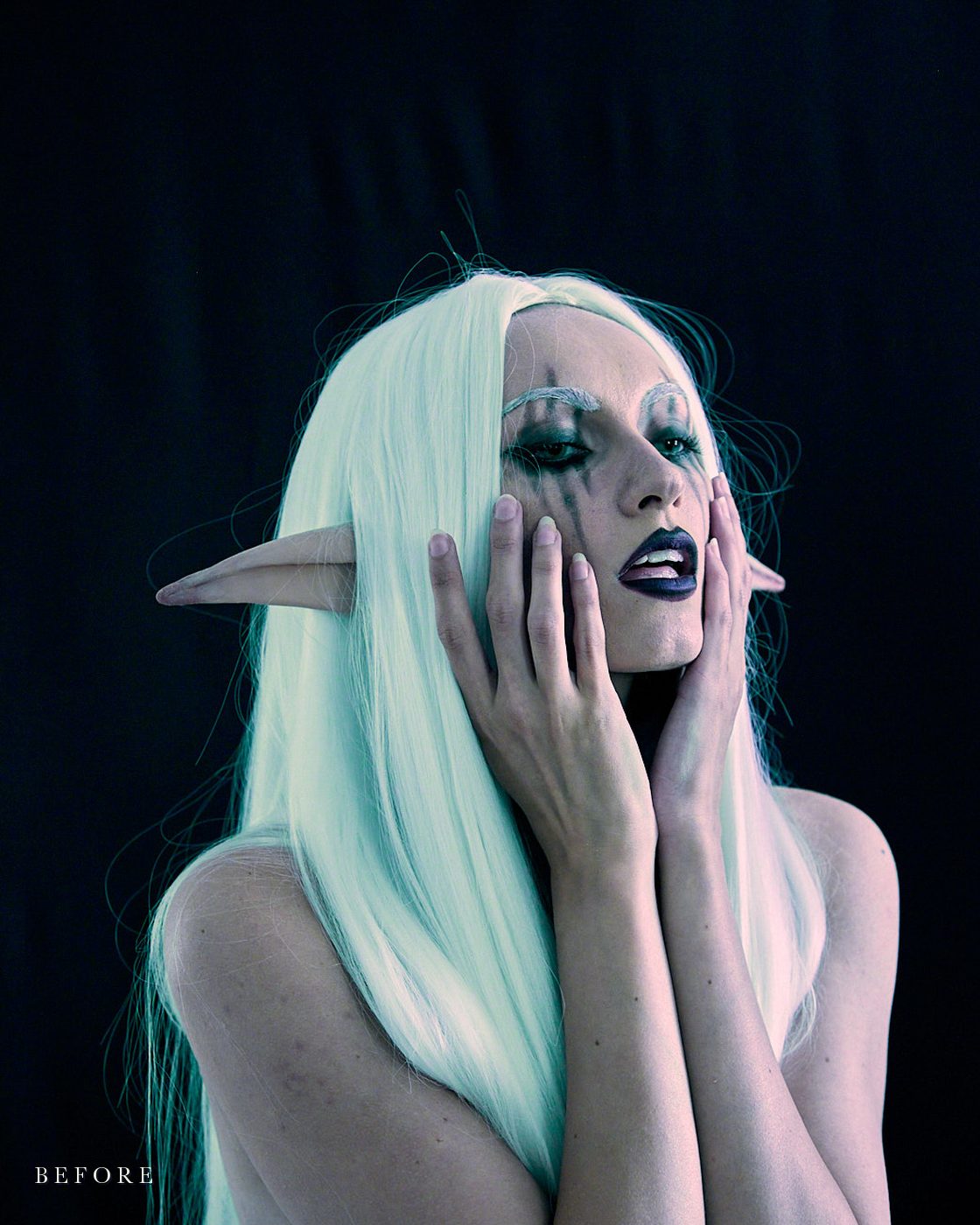
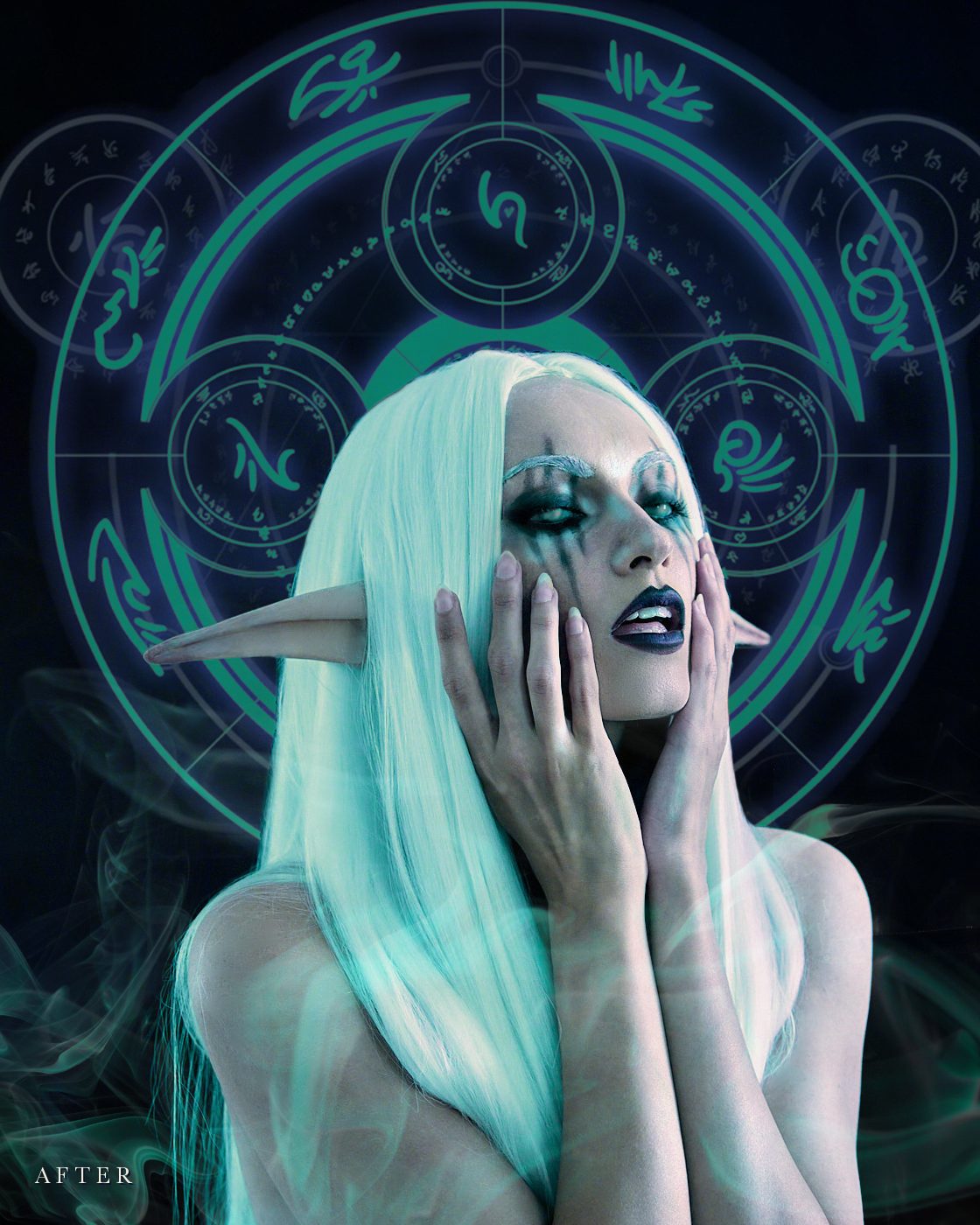
We'll follow my Night Elf self-portrait from the original photo, shot in my bedroom, to the finished dark fantasy portrait.
Who this fantasy Photoshop course is for
If you're drawn to fantasy photography and want more of your imagination in your edits, this course is for you. You might photograph portraits, make costumes or cosplay, paint, or create digital art. The only starting point is wanting to turn a photograph into something more.
You don't need professional Photoshop skills. I explain the basics as we go, and you can pause, replay and follow each lesson at your own pace.
Whether you're a beginner or returning to creating, we'll go step by step.
Come with me and find your enchantment again.
Meet Ro, your instructor
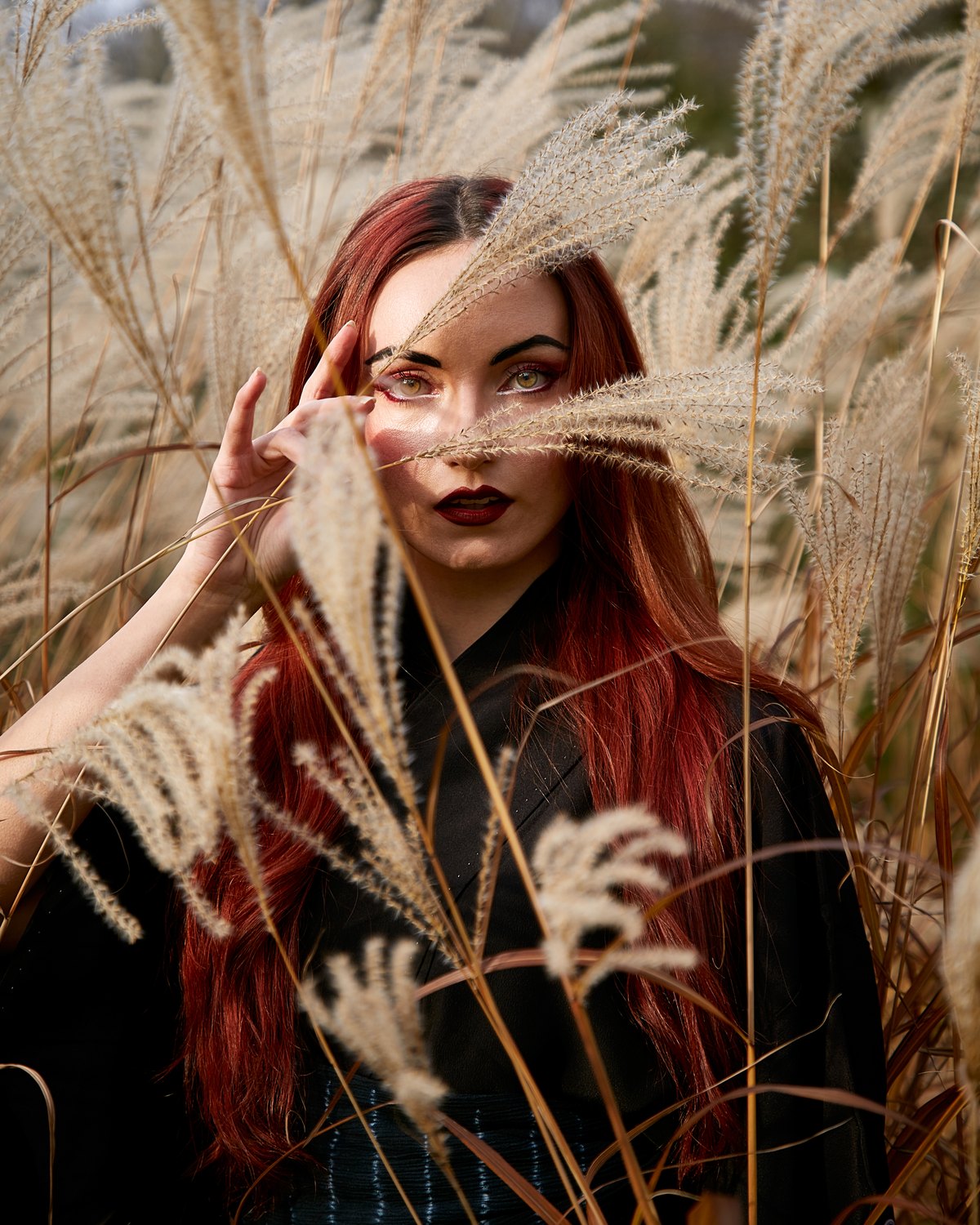
Hi, I'm Ro, artist and creative director behind Alquatica.
For years I've photographed fashion, lifestyle and products for brands, each with my own folklore and fantasy twist. With Alquatica, I built a world of my own through dark fantasy self-portraits, working on both sides of the camera from the shoot to the final edit.
I've also taught Photoshop in the classroom, in design and new media. In The Otherworldly Edit, I explain the tools I use and the reasons behind each choice, so you can bring the same thinking to your own photos.
What you'll learn in this fantasy Photoshop course
Prepare your portrait
Set up a working file you can trust, and clean up distractions so the eye goes where you want it.
Refine skin and shape
Even out tone while keeping real skin texture, then make gentle changes to shape and line, like lengthening elf ears.
Illustrate light and shadow
Paint light and shadow by hand to give your character depth, drawing on chiaroscuro.
Bring in new elements
Add elements, like my glowing circle and smoke, so they look as if they were always part of the photograph.
Unite and finish
Bring everything into one color story, then export an image that holds up wherever you share it.
Across nine lessons, I explain what I change and why, so you can apply the same thinking to your own photos.
From a photograph to a finished fantasy portrait
By the end, you'll have followed one portrait all the way through: my Night Elf, from the original photo to the finished image, with light, shadow and added elements working together as one scene.
My image is our worked example. What you take with you is a way of editing fantasy portraits that carries into your own photos, whether your next idea is dark and dramatic or bright and ethereal.
Everything included in The Otherworldly Edit
9 video lessons
About 1 hour 20 minutes of guided editing, from the original photo to the finished portrait.
Instant access, for the life of the course
Start as soon as you join, and come back for as long as Alquatica offers the course.
Bonus: The Workbook · Value $37
The whole edit written out step by step, plus quick-reference recipes for the key techniques, so you can find a step without scrubbing through a video.
Bonus: Photoshop Shortcuts · Value $15
A cheat sheet for Mac and Windows to keep beside your keyboard, with every shortcut used in the course marked.
What you need
Photo editing software
You need photo editing software. I made this course in Photoshop 2026, and the latest version is best. You can still learn from it in other photo editing software: the thinking behind each adjustment is what matters, even when the tools or steps look different. However, to follow my exact tools and steps, you'll want Photoshop.
A portrait to practice on
Bring your own photo, or add the optional Practice Assets Pack ($17) at checkout to follow along on my Night Elf, with my working files and the elements I use.
A mouse, or a drawing tablet (optional)
A mouse and keyboard work fine. If you come from illustration, or you love the feel of pen and paper, a drawing tablet makes the move into editing feel more natural and gives you finer control when you paint light and shadow. I go back and forth between both.
Skill level: beginner-friendly.
Fantasy portraits, before and after (drag to compare)
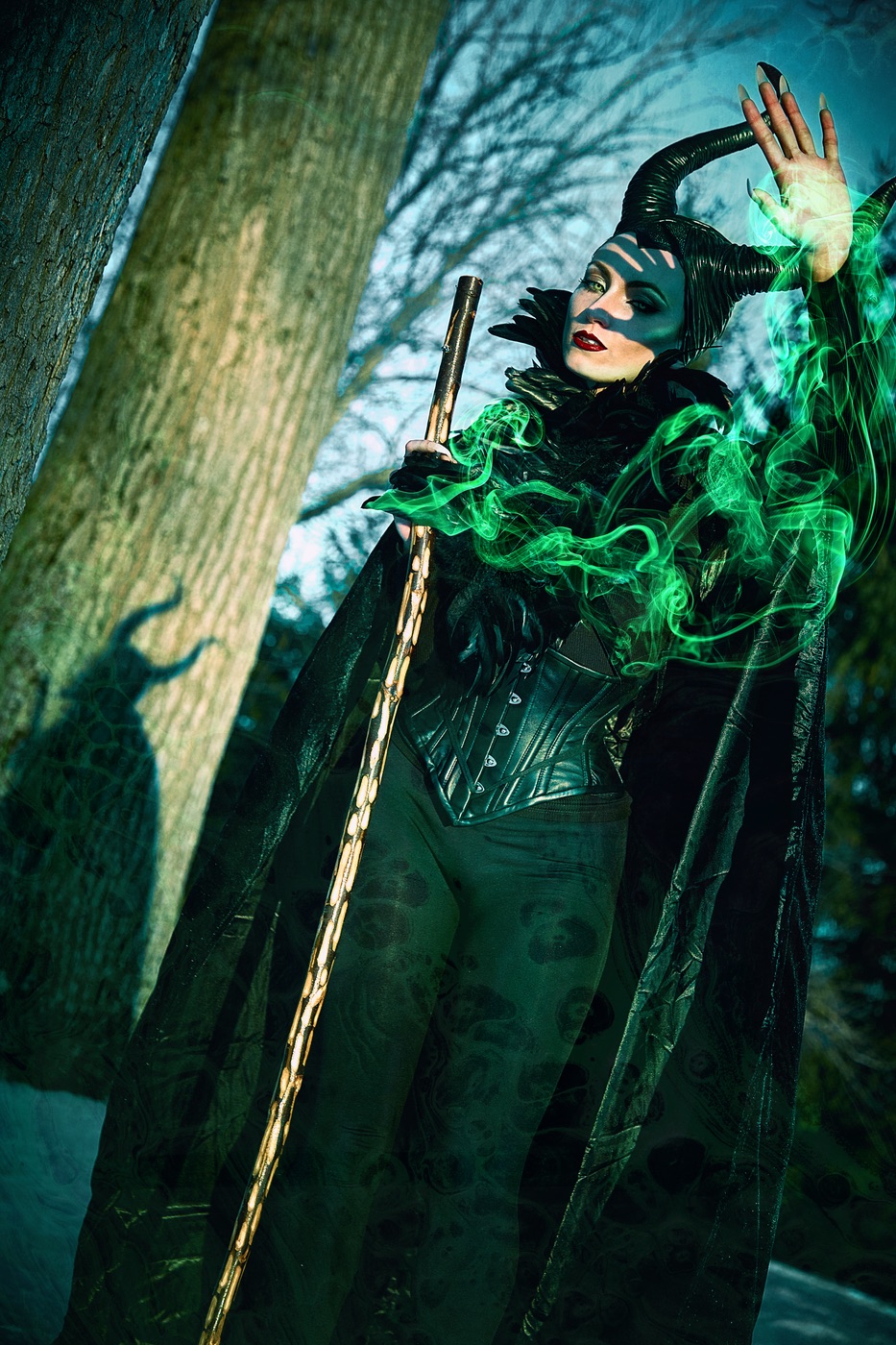
These are from my portfolio. The course follows the Night Elf from start to finish, and these show where the same way of working can take your own ideas.
Questions before you begin?
I'm a beginner. Is this too advanced for me?
No. I explain the basics as we go, then build on them step by step. You can take each lesson at your own pace.
What software do I need?
You need photo editing software. I personally use Adobe Photoshop (I made the course in Photoshop 2026), and if you want to follow my exact steps, you should too. But it's the concepts that matter most, so you can apply them in any photo editing software, even when the tools look different.
Does it work on Mac and Windows?
Yes. I edit on a Mac, and the Photoshop Shortcuts sheet gives every shortcut for both Mac and Windows.
Can I use what I learn on my own photos?
Yes. I edit my Night Elf from start to finish and explain the reasons as I go, so you can apply them to your own photographs. Your edits don't have to be dark fantasy. Refining a portrait, working with light, adding elements and bringing colors together work for other styles too.
How long is the course?
Nine video lessons, about 1 hour 20 minutes in all. Go at your own pace and practice as long as you like.
How long do I keep access?
For the life of the course, meaning for as long as Alquatica offers it.
Can I buy it as a gift?
Yes. Choose "Send as a gift" at checkout.
What's in the optional Practice Assets Pack?
The $17 pack lets you follow along on my exact portrait: a ready-to-edit start file, the before and after images, and my layered Photoshop file, all watermarked, plus two magic circles and a smoke image without watermarks, for practicing on my portrait only.
Everything is for learning and noncommercial use. You can post your practice edits on social media, credited to Rocío Alquati (@alquatica) as photographer and model, with the watermark intact. The full license comes with the pack.
Can I get a refund?
Because this is a digital product with instant access, all sales are final. If you have questions before you buy, email support@alquatica.com.
Everything you need for your next fantasy portrait
The Otherworldly Edit
$119 total value $67
- 9 video lessons · About 1 hour 20 minutes
- My complete portrait edit, with the reasons behind every choice
- Bonus: The Workbook, with quick-reference recipes (value $37)
- Bonus: Photoshop Shortcuts for Mac and Windows (value $15)
- Instant access, for the life of the course
Want to follow along on my exact portrait?
Add the optional Practice Assets Pack for $17 at checkout. It's for learning and noncommercial use, and you can share your practice edits on social media with credit.
Because this is a digital product with instant access, all sales are final. Questions before you buy? Email support@alquatica.com.
Terms & Conditions · Privacy Policy